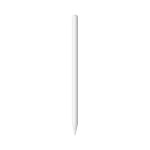

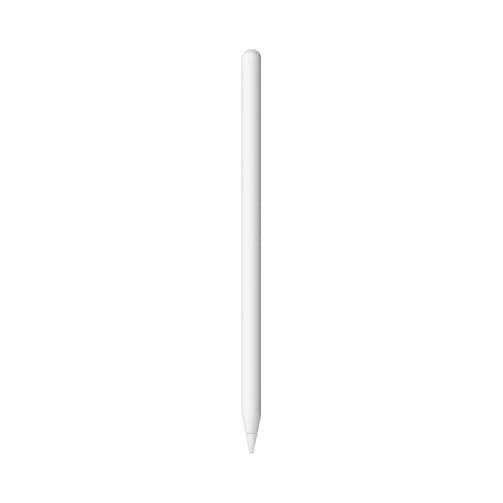
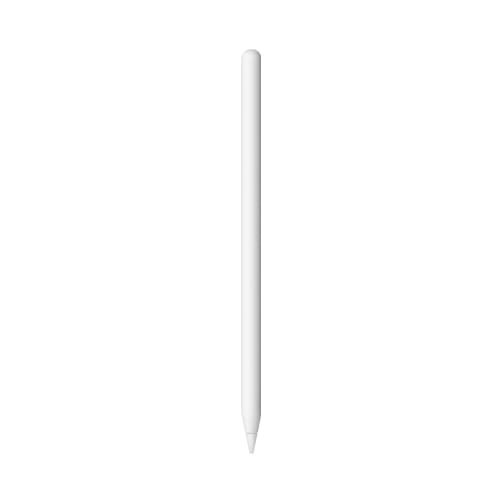
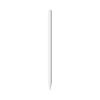
Apple Pencil 2
There are times when you want even greater precision when using your iPad Pro. That's why Apple Pencil gives you even more flexibility with Multi-Touch. And while the stylus technology is nothing like our previous designs, the feel of Apple Pencil in your hands is completely familiar from the very first moment. It gives you the opportunity to apply countless effects with pixel-perfect precision, taking your creativity to new heights.
Choose the thickness of your lines. Just by applying the right pressure. Under the elegant casing are hidden advanced high precision pressure sensors, capable of measuring a wide range of applied forces. The sensor was carefully positioned to accurately sense the pressure you apply to the Apple Pencil. Use more pressure to draw lines with greater thickness. Or gently touch the stylus to the screen to draw the details in a figure's hair. There's no limit to the effects you can create. Which means there are no limits to you.
Create shadows by simply tilting your hand. Two tilt sensors on the Apple Pencil tip calculate the exact orientation and angle of your hand. As you write or draw, the Multi-Touch screen detects the relative positions of these two sensors. So you can create shadows by simply tilting the Apple Pencil, just as you would with charcoal or a conventional pencil.
Do not hesitate. Put your palm on the screen. iPad Pro is designed with palm-rejection technology, so you can rest your hand on the iPad screen while using the Apple Pencil. So you can focus on the design with absolute precision, instead of worrying about the position of your hand.
12-hour battery life. Remove the Apple Pencil's magnetic cap to reveal a Lightning connector that lets you easily charge Apple Pencil by plugging it into iPad Pro. The connector is slightly longer in length to allow charging even when the iPad Pro is in a silicone case. With a full charge, you can note, sketch, annotate, and edit your content for 12 hours.1 And if the battery runs out while you're using Apple Pencil, you can simply charge it from iPad Pro for 15 seconds and get 30 minutes of use.
The ideal tool for artists of all kinds. With its precision and flexibility, Apple Pencil is a natural choice for artists, even those who usually work with traditional media. Discover how Apple Pencil helps them bring their artwork to life.
Notes. Jot down ideas while you're in a brainstorming session. Draw a diagram during a lecture. With design tools that are fully optimized for Apple Pencil, you can use Notes in productive new ways that work for you.
Mail. With Apple Pencil, Mail takes on a creative dimension. Send an inventive sketch with your next email. Or change up your work routine by using Apple Pencil to take handwritten notes in a PDF or document.
Paper by FiftyThree. Whatever you want to write down on Paper by FiftyThree, the Apple Pencil with its simple functions is the perfect ally. Use it to sketch, write, draw, outline and color new designs, as well as to create diagrams for presentations or plan your next project.
Adobe Comp CC. Start from a rough draft and build a polished setup in just a few minutes with Adobe Comp CC. In it you'll find enriched layouts, professional vector graphics and a collection of images and fonts. Apple Pencil offers designers an advanced but simple tool to set up drafts on iPad Pro. You can turn simple shapes, such as squares and circles, into active image location binders with one tap. Or add a dot to turn it into a text position binding.
Pixelmator. The photos look amazing on the iPad Pro Retina display. And thanks to Pixelmator, you can edit them with ease. With full support for Apple Pencil and 16K images, Pixelmator is the perfect photo editing tool for professionals. It offers advanced features like colorization, cloning and layer-based blending, and works with the powerful multitasking capabilities of iOS 9.
*Apple Pencil is compatible with iPad Pro 9.7" and iPad Pro 12.9" models"